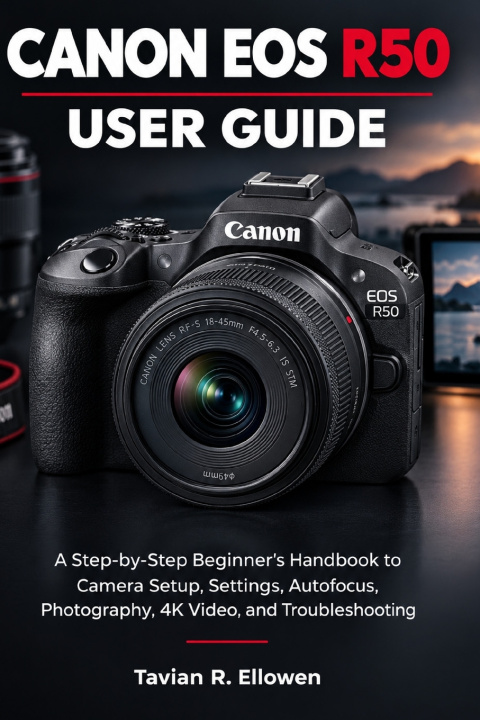
Unlock the Full Potential of Your Canon EOS R50!
Ready to take sharper photographs, record better videos, and gain confidence behind the camera? The Canon EOS R50 is a powerful mirrorless camera with creative possibilities for photography enthusiasts, beginners, vloggers, and content creators. But knowing which settings to use, how to focus accurately, and how to get the best results in different shooting conditions can feel overwhelming when you're just starting out.
The Canon EOS R50 User Guide is designed to make the learning process easier. With clear explanations and practical, step-by-step guidance, this handbook helps you understand your camera's essential features, configure its settings, and develop the skills to capture the images and videos you envision.
Whether you're setting up your camera for the first time or looking to improve your existing skills, this guide helps you move beyond automatic shooting and make more confident creative decisions.
INSIDE THIS GUIDE, YOU'LL DISCOVER HOW TO:
Set Up Your Camera with Confidence: Learn the essentials of camera preparation, menus, controls, batteries, memory cards, and initial configuration.
Understand Essential Photography Settings: Explore aperture, shutter speed, ISO, white balance, exposure compensation, and metering to achieve better exposure and image quality.
Choose the Right Shooting Mode: Understand Auto, Program, Shutter Priority, Aperture Priority, and Manual modes, and learn when each can be useful.
Master Autofocus and Subject Tracking: Learn how to select focus methods, work with moving subjects, and use available subject-detection features to improve focus accuracy.
Capture Better Photographs in Different Situations: Explore practical techniques for portraits, landscapes, travel, pets, wildlife, action, indoor scenes, and low-light photography.
Record More Effective 4K Videos: Understand resolution, frame rates, exposure, autofocus, audio, camera stability, and recording settings for more controlled video capture.
Explore Creative Techniques: Learn how depth of field, composition, lighting, Picture Styles, and selected camera controls can help you achieve your desired visual results.
Connect, Transfer, and Organize Your Files: Discover practical approaches to smartphone connectivity, wireless transfers, remote shooting, computer imports, and file backups.
Improve Your Photos Through Editing: Understand the basics of organizing, processing, and preparing your images for sharing or publication.
Troubleshoot Common Problems: Learn how to approach battery issues, memory card errors, blurry images, exposure difficulties, video interruptions, and connection failures.
Protect Your Investment: Develop sensible habits for camera cleaning, firmware updates, equipment storage, travel, and routine maintenance.
A PRACTICAL GUIDE FOR YOUR PHOTOGRAPHY JOURNEY
You don't need to be a professional photographer to make better use of your camera. What matters is understanding the controls, learning how different settings affect your results, and practising techniques that suit your subjects and shooting conditions.
This guide breaks down technical concepts into approachable explanations, helping you understand not just which settings to change, but why those adjustments matter. As your experience grows, you can use that knowledge to make more deliberate decisions about exposure, focus, composition, and video recording.