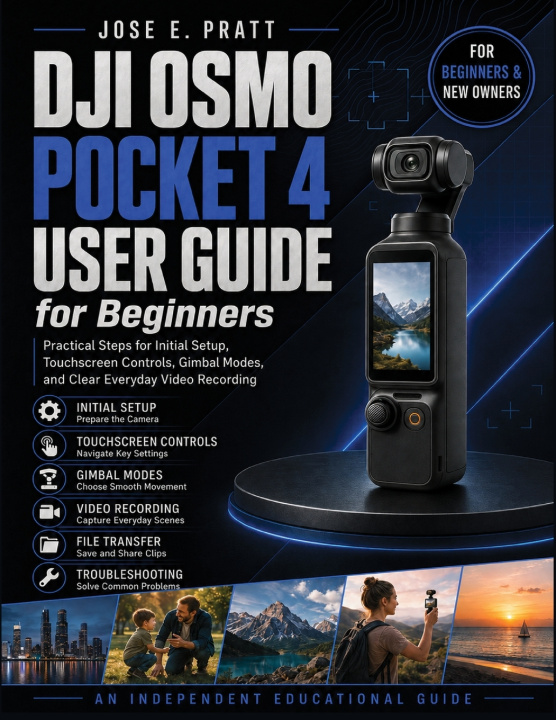
A compact gimbal camera can look simple until you begin navigating touchscreen gestures, assigning controls, choosing a gimbal mode, or deciding which recording settings suit the scene. If your new Pocket 4 feels less intuitive than expected, this guide offers a practical place to begin.
DJI Osmo Pocket 4 User Guide for Beginners follows the camera in a logical working order, from unpacking and first-time setup to recording, reviewing, transferring, and protecting your footage. It is written for beginners, new owners, smartphone upgraders, travel vloggers, parents, hobby video creators, and small-business owners who want straightforward explanations without unnecessary technical language.
Inside the guide, you will learn how to:
• Identify the rotating touchscreen, Zoom and Custom buttons, 5D joystick, ports, mounting points, and other physical controls
• Charge, activate, update, calibrate, and prepare the camera for an initial recording session
• Navigate touchscreen gestures, quick settings, shooting parameters, playback, focus, exposure lock, and vertical recording
• Understand Follow, Tilt Locked, and FPV gimbal modes while adjusting movement speed and smoothness
• Choose suitable recording modes and work with frame rate, shutter speed, ISO, exposure compensation, white balance, aspect ratio, Normal color, and 10-bit D-Log
• Use ActiveTrack 7.0, gesture control, subject tracking, built-in audio, wireless microphone options, and the DJI Mimo app
• Manage internal and microSD storage, transfer files, maintain battery health, and address common connection, gimbal, charging, and recording problems
Practical examples cover vlogging, walking tours, family events, moving children and pets, product footage, low-light scenes, and social-media framing.
This is an independently produced educational guide. It is not published, authorized, sponsored, approved, or endorsed by DJI or its affiliates, and it does not replace the manufacturer's safety, regulatory, warranty, firmware, or support documentation.
Use this guide as a hands-on companion while working with the camera. Its purpose is to help you understand the controls, make informed setting choices, and build a more comfortable everyday recording routine.