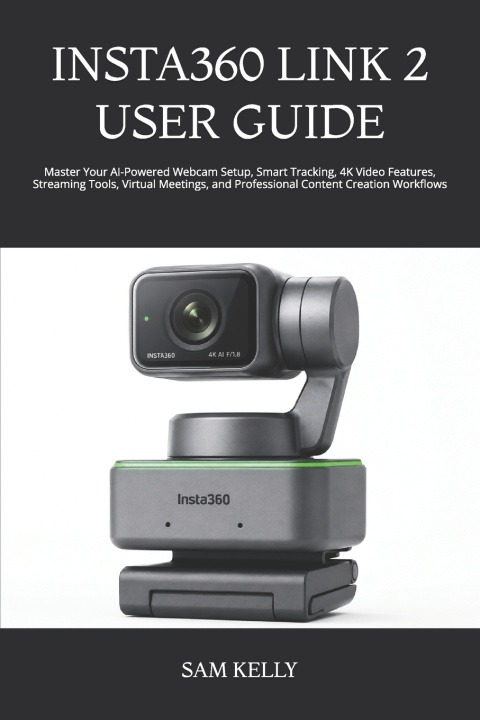
INSTA360 LINK 2 USER GUIDE
Unlock the full potential of your Insta360 Link 2 and transform every video call, livestream, online class, and content creation session into a professional experience. Whether you're setting up your webcam for the first time or looking to master its advanced AI-powered features, this practical user guide is designed to help you confidently navigate every function without confusion.
The Insta360 Link 2 is more than just a 4K webcam-it is an intelligent communication and content creation tool packed with AI tracking, gesture controls, HDR imaging, noise-canceling audio, and powerful customization options. This guide breaks down these features into clear, easy-to-follow instructions so you can spend less time troubleshooting and more time creating.
What You'll Learn in This Book
Inside this comprehensive guide, you'll discover how to:
Unbox and identify every accessory included with the Insta360 Link 2.
Set up the webcam correctly on Windows and macOS.
Install and configure the Insta360 software for peak performance.
Master AI Tracking and framing modes for seamless presentations and recordings.
Use gesture controls to operate the camera hands-free.
Optimize image quality with HDR, exposure, white balance, and focus settings.
Configure audio settings for crystal-clear voice capture.
Connect the webcam with Zoom, Microsoft Teams, Google Meet, OBS Studio, and other popular applications.
Customize presets for streaming, teaching, gaming, business meetings, and content creation.
Troubleshoot common connection, video, and software issues quickly and effectively.
Maintain, update, and care for your webcam to ensure long-lasting performance.
Discover practical tips, hidden features, and productivity shortcuts used by experienced creators.
Why You Should Buy This User Guide
Technology should make life easier-not more complicated. This guide eliminates the frustration of searching through scattered online tutorials or guessing how features work. Every chapter is written in plain, easy-to-understand language while providing the practical details you need to use your Insta360 Link 2 with confidence.
Whether your goal is professional video conferencing, high-quality livestreaming, online teaching, business presentations, or content creation, this book helps you achieve better results from day one.
Who Should Read This Book?
This guide is perfect for:
First-time Insta360 Link 2 owners.
Beginners looking for step-by-step instructions.
Remote workers and business professionals.
Teachers and online educators.
YouTubers, streamers, and podcasters.
Social media creators and influencers.
Students attending virtual classes.
Anyone who wants to maximize the capabilities of their Insta360 Link 2.
What Sets This Book Apart?
Unlike generic manuals filled with technical jargon, this guide focuses on real-world usage with practical explanations and actionable tips. It simplifies advanced features into manageable steps, helping both beginners and experienced users gain confidence quickly. Organized, straightforward, and solution-focused, this book serves as a reliable companion long after your initial setup.
Take Control of Your Webcam Experience Today
Don't settle for using only a fraction of what your Insta360 Link 2 can do. With the right guidance, you can unlock its intelligent features, improve your video quality, streamline your workflow, and create a polished, professional presence in every meeting, livestream, or recording.
Get your copy today and start using your Insta360 Link 2 with confidence, clarity, and efficiency.